

When potential customers look for your business, they want to see the same information everywhere, including your name, address, phone number, website, and hours. But if your listings are old, or not the same everywhere, it can confuse people, hurt your reputation, and lower your local search rankings. That’s where fixing citations becomes important.
This post will explain what citation cleanup is, why it’s important, and how to do it well. We will go through the steps to improve your business listings and make sure more people can find you in local searches, using both manual updates and automated tools. Let’s fix your online presence, starting with your business listings.
What are Local Business Citations?
Local business citations are important for a local business’s presence online. These mentions appear on business lists, review sites, and other similar websites. They display your business’s name, address, and phone number, which is called NAP.
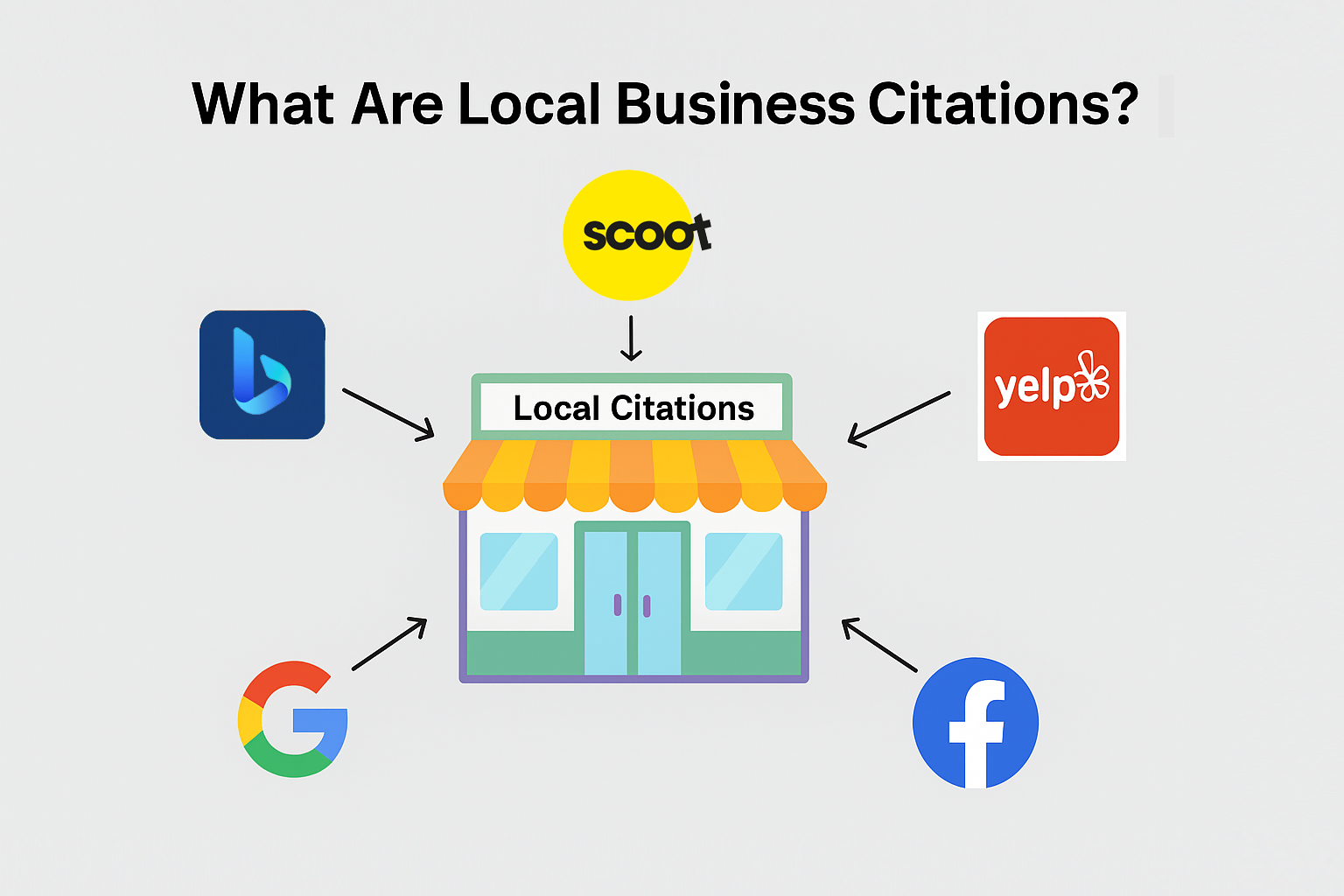
They can show your website address, business hours, and links to your social media pages. Local business listings help businesses become more visible. They help businesses appear on Google Maps, Yelp, and local news blogs.
For people buying SEO services and agencies, understanding how these citations work is important for improving local search rankings and building trust.
Understanding Your Online Presence
Defining your digital footprint means looking at everywhere your business shows up online. This includes every mention, listing, and profile. Every citation adds another level to this mark.
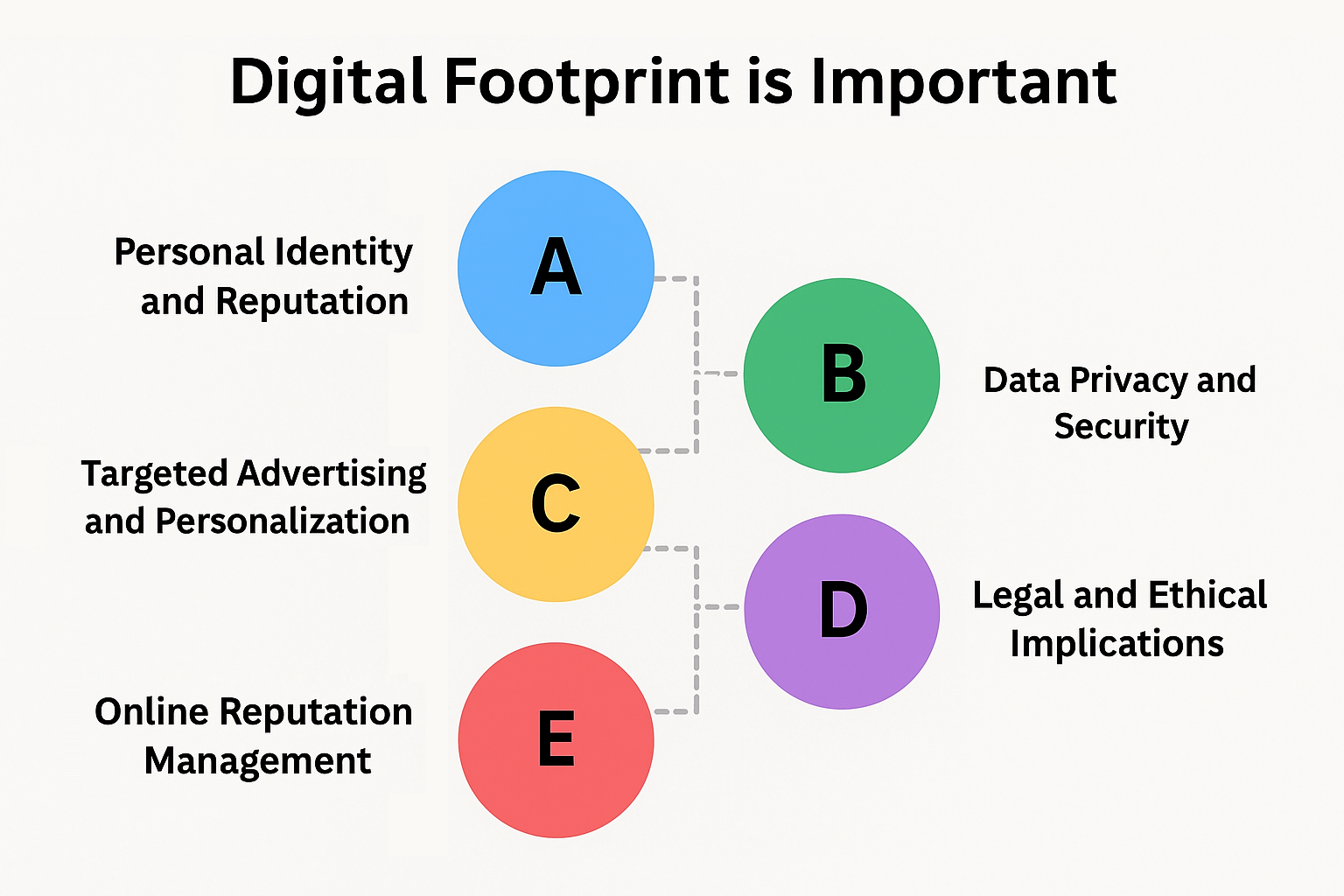
When your citations are the same everywhere online, people trust you much more. Customers see you as more genuine and reliable. The idea is simple: using the same details on Google My Business, Facebook, and Yellow Pages makes your brand look professional.
Keeping your business information accurate and up-to-date helps maintain your reputation and makes it easy for people to find you.
Types of Business Listings
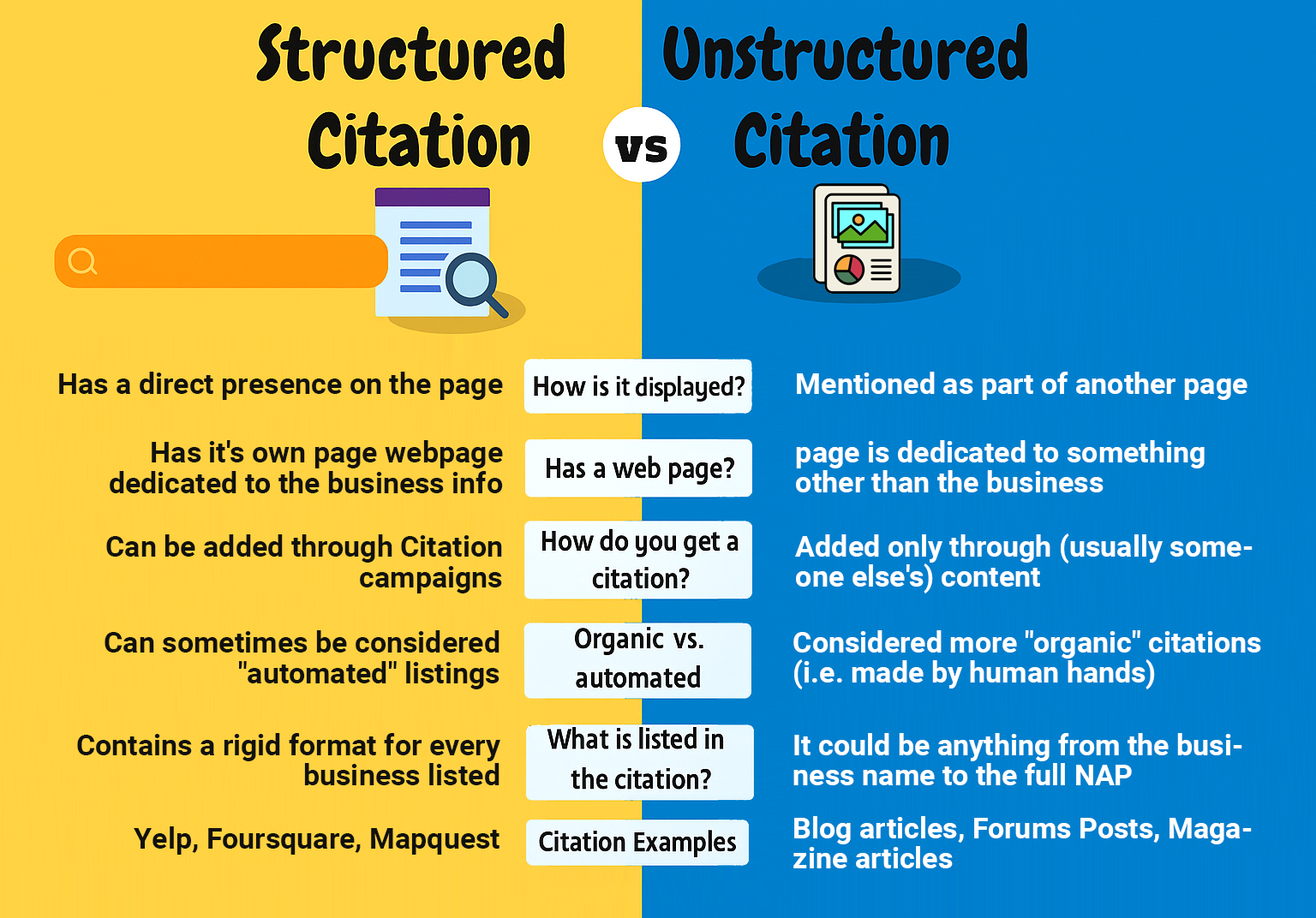
There are two main kinds of business listings: structured and unstructured. These organized mentions appear on local business listings like Google My Business, Yelp, and Bing Places for Business.
These directories have clear rules for showing NAP information. You can find unstructured citations in blogs and news websites. Both are vital. Structured citations help local SEO by offering clear information, while unstructured citations add credibility and show what people are talking about in the market.
Why Accuracy Is Essential?
When your citations are completely correct, crawlers will trust your business more and show it in search results. Even a tiny mistake, like an old phone number, can confuse Google and the people who might want to do business with you.
This leads to losing potential customers and unclear search rankings. Staying correct and updated will help you save money. Clear and correct local business listings help you rank better in local searches, receive fewer missed calls, and provide a better experience for your customers.
The True Price of Incorrect Citations
Messy citations might look okay at first, but they can actually cause big problems for small businesses, like those owned locally. In many big cities, just a few wrong listings can cause a lot of problems.
This could impact your SEO methods, trustworthiness, and ultimately, your profit. Let’s examine what happens when we don’t pay attention to citations.
Harming Your Local Search Rank
Wrong or different citations, like an old phone number or a different way of writing your street name, can really hurt your local SEO. Google wants your Name, Address, and Phone number to be the same everywhere online.
When your NAP information doesn’t match, your ranking in search results drops. For example, a business in Nevada that shows one phone number in some places and a different number in others will have a hard time being seen on Google Maps.
This makes it tough for people nearby to find you when they look for “best sushi place near me”. Even repeated links can split your traffic, making it hard for Google to understand you and reducing how easily people can find your brand online.
Confusing Possible Customers
Possible customers need clear and steady information to pick your business instead of a competitor’s. When Yelp says you’re on 5th Street, but Facebook says you’re on 6th, people start to doubt you.
It gets even more confusing if the hours or phone numbers are wrong or don’t match on different websites. Possible customers might call the wrong number. They might choose to go to a competitor with clear and correct information.
Hurting Your Brand’s Trust
Trust comes from clear and simple information. If your citations are not consistent, it makes your brand look unprofessional or untrustworthy. If a user has to check three different places for your store, they might lose trust and choose a different option.
Over time, this hurts trust and makes it harder to win people back. What’s the answer? It’s easy, make sure your citations are the same everywhere, like on Google, Yelp, Apple Maps, and any other directories.
Wasting Marketing Budget
Any money you spend on ads or improving your website is wasted if customers can’t find you. One wrong address can ruin a well-planned campaign. Fixing citations takes a lot of work and can take a whole week, working eight hours a day, to correct thousands of listings.
Investing time in improving your rankings can really pay off with real customer leads. Just spending 15 minutes a day to fix your citations is a simple and smart way to make your marketing budget stretch further.
Easy Guide to Fix Citations
Fixing your citations takes time and a clear plan. For agencies and consultants that work with local businesses, having a clear plan will make these relationships stronger and help ensure success for the future.
A quick and proper fix of your business’s information helps more people find you in local searches. It builds customer loyalty and keeps you ahead of the competition. This part explains how to fix citation problems in simple steps, starting from the first check to following up on the final changes.
- Begin Your Detailed Audit
A yearly audit is a chance to see the full status of all your business’s locations. This step is very important, if you skip it, you might miss some hidden mistakes. Here’s what to put on your checklist:
- Business Name, Address, and Phone Number (NAP)
- Website link
- Store hours
- Customer feedback
- Categories and descriptions
- Pictures and videos
There are some useful tools that can make this audit easier for you. Whitespark, BrightLocal, and Moz Local are great choices. These platforms look through big directories to find both your organized and unorganized mentions.
When you use the right format, organized citations will show up in online business listings like Yelp. Unorganized citations can be found in related blog posts or news articles. Write down everything you find out.
Make a spreadsheet to note the platform, current NAP details, and any problems. Keeping everything organized helps avoid confusion and makes cleaning up easier.
- Find All Inconsistencies
Check each citation carefully and look for any mistakes, both big and small. Common examples could include different business names, old phone numbers, or addresses that don’t have suite numbers.
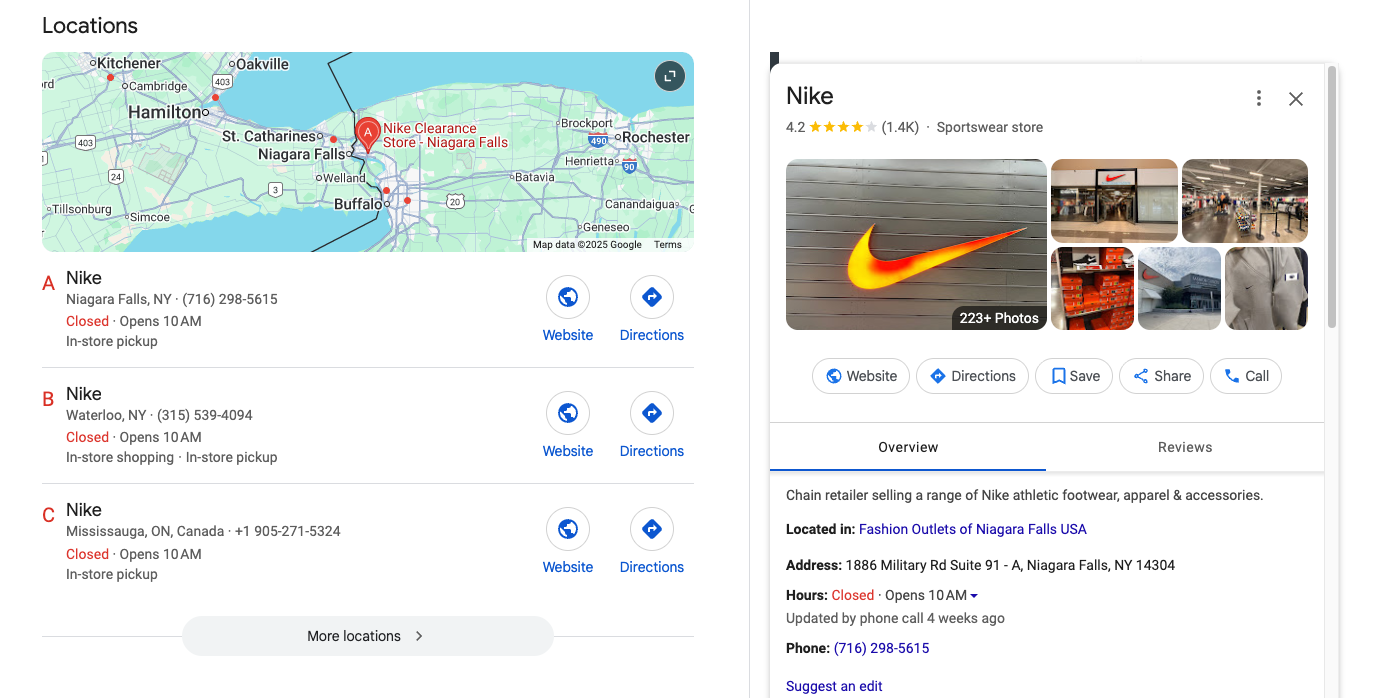
Having “25A Cross St.” on one website and “25A Cross Street” on another might seem like a small issue, but this difference can hurt your ranking. When business details are different on different websites, it causes confusion.
This makes it hard for crawlers to believe that your information is correct. From what we’ve seen, studies show that having inconsistent NAP is the main reason local rankings go down.
Check out smaller directories at the state, regional, and local levels, along with directories that focus on specific industries and social media profiles. Check every listing very carefully, if you miss one mistake, it could hurt your local SEO a lot.
- Focus on Important Listing Websites
Every listing site has its good and bad points. Focus your time and work on the platforms that are likely to give you the best results for your area and industry.
Google Business Profile
To change your business information on Google, visit https://business.google.com
and log in with the Google account that you use for your business. If you haven’t claimed your business yet, look for it and click on “Do you own this business?” to start the verification process.
After you are verified, you can change important information such as your business name, address, phone number, website, working hours, and type of business. Google updates in real time, but it can take a few hours for changes to show up.
It’s important to make sure your listing has the same name, address, and phone number as your official business information, because Google uses this information to check your business online.
Upload new photos, reply to reviews, and stay active on your profile to help your local search ranking. Make sure all your updates match your other listings so there’s no confusion or negative impact on your rankings.
Yelp
To change your business information on Yelp, visit https://biz.yelp.com and sign in or claim your business if you haven’t done that yet. After logging into your Yelp for Business account, go to the “Business Information” section.
Here, you can change your business name, address, phone number, hours, website, and types of services. Yelp values accuracy and trust from users, so they check all changes before posting them. Yelp might take a few days to approve changes.
Make sure your name, address, and phone number are the same on Google and other listings. You can add pictures, reply to reviews, and change your business description to make your listing look better.
Yelp is very important for restaurants, service providers, and shops, so it’s essential to make sure your information is correct and interesting. Update your Yelp profile regularly to build trust and stay visible to nearby customers.
Bing Places
Updating your business on Bing Places is like updating it on Google. Go to https://www.bingplaces.com, log in with your Microsoft account, and look for your business.
If you find it, claim it and complete the verification steps, which usually involve a phone call, postcard, or email. Once you confirm your details, you can change your business name, address, phone number, hours, website, and description.
Bing gets information from sites like Yelp, so it’s important to keep your business information the same everywhere. Bing updates usually happen within 48 to 72 hours. Bing has a smaller share of the search engine market, but it still helps millions of people, especially those who use Microsoft products and voice assistants like Cortana.
A good Bing Places listing helps improve your SEO and makes your business more visible on desktop searches and Windows devices. Don’t ignore this platform, it’s free, simple to use, and helps improve your visibility in the area.

To change your business information on Facebook, you need to be an admin of your Facebook Page. Log in via https://business.facebook.com/business/loginpage/ and open your Page, then click on the “About” option in the menu on the left.
Here, you can change important information such as your business name, address, phone number, website, and working hours. Facebook lets you choose what type of business you have and add things like services you offer, menu items, or a link for booking appointments, based on your type of business.
Most changes happen right away, but some updates might need Facebook’s approval first. It’s important to keep things the same, make sure your name, address, and phone number are the same everywhere, like on Google and other websites.
Facebook is more than just a place to connect with friends; it’s also an important tool for finding local information. Many people look for businesses on Facebook, so having a correct and well-organized page can really help build loyalty among customers and encourage them to interact with you.
Apple Maps
To update your business on Apple Maps, visit https://register.apple.com/placesonmaps and log in with your Apple ID. After you log in, look for your business. If it’s listed, click “Claim this place” and follow the steps to verify it, which usually involves confirming your phone number or email.
After verifying, you can change your business name, address, phone number, website, hours, and where it shows on the map. Apple Maps gets information from different places like Yelp and Foursquare, so it’s important to make sure all those sources have the same information.
Changes usually show up in a few days. Apple Maps is commonly used by iPhone users and helps with directions in Siri and other iPhone apps, which makes it very important for being seen in local areas.
A correct Apple Maps listing helps iPhone users easily find, call, and get directions to your business. Don’t ignore this platform, especially if your customers use iPhones or Macs.
TripAdvisor
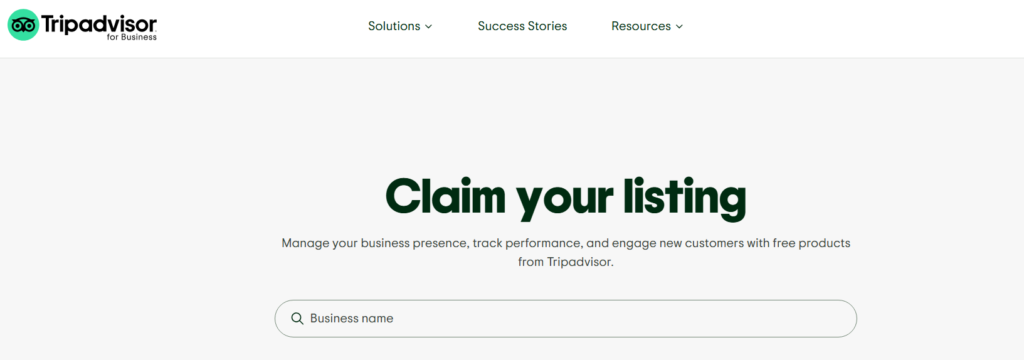
To update your business on TripAdvisor, visit https://www.tripadvisor.com/Owners and look for your business. If you find the business already listed, you can claim it by clicking “Claim Your Business” and proving it belongs to you.
Once you are verified, you can go to your Management Center. There, you can change your business name, address, phone number, website, and other information like description, services, and hours.
TripAdvisor is very important for hotels, restaurants, tour companies, and attractions. It’s crucial to keep a good and interesting profile. You can post pictures, reply to comments, and handle what customers say. All changes are checked by TripAdvisor and might take a few days to appear.
Having correct information makes sure you show up in the right searches and don’t confuse people who might want to visit. Keeping your TripAdvisor listing neat and current helps improve your overall online reputation and search engine visibility, especially in travel and hospitality.
Also, websites that get a lot of visitors are visited by search engines more often, which brings in even more people. By dealing with these first, you can have the biggest impact at the earliest stage. This priority system makes fixing easier and helps your team see quick results.
- Claim and Verify All Listings
To keep your business info correct, you need to claim your listings and confirm they are right. The steps usually include:
- Finding your business in the list
- Click on “Claim this business” or something similar to that
- Confirming that you own this business, usually through call or by postcard
- Updating your business information
Verification makes sure your changes are safe and prevents others from changing them without permission. Sometimes, you might face problems like old listings you can’t access or outdated emails linked to the account.
Fortunately, many directories have strong support systems to help you when you face problems. Keep up and work hard to make sure every claim is recorded.
- Systematically Fix NAP Information
For the corrections, follow the best methods.
- Make sure your Name, Address, Phone Number, and Website on other sites match exactly what you have on your website
- Make sure the formatting is the same throughout
- Update all versions, make sure there’s no old information left
- Check the business hours and types again
- Add extra information like pictures and recent reviews
The key to better citation health is to be consistent. It’s not just about the big picture, small details matter a lot to search engines and your customers. Update many items at once whenever you can, starting with the most important ones. Regular audits help keep everything up to date.
- Get Rid of Duplicate Business Listings
Having the same information listed more than once can confuse crawlers and make it hard for customers to find what they need. If a potential customer looks for your business and finds two different addresses or phone numbers, they might get confused and lose trust in your brand.
Also, search engines might be mixing up your ranking signals, making it harder for people to find your business. To remove duplicates:
- Look in each directory to find several listings of your business
- Use the tools in the directory to mark or report duplicates
- Ask to take away or combine the extra listings
Keep a list of removal requests and check them regularly to make sure they have been taken care of.
- Create Your Outreach Strategy
Sometimes, you find a listing that you can’t change right away. Here’s what to add to your outreach plan:
- List of websites or directories that need to be contacted directly
- Contact details and submission forms for every platform
- Templates for sending outreach emails
- Schedule for checking back
This is why sending personalized messages is always better than sending the same email to everyone. Find the problems and give the correct information. If you don’t get a reply, wait a week or two and then ask again. Don’t get discouraged, many of these platforms get lots of requests, and it might take a few tries.
- Keep an Eye on Your Correction Submissions
Keeping track of your updates will help keep the correction process organized. Keep a record of every correction you make. Write down when you submitted it, what information you fixed, and the current status of the correction.
Tools like Google Sheets and Trello help you quickly check which tasks are done. Use project management tools to monitor what still needs to be done. There are lots of good things about keeping track of things.
You can easily show the work you’ve done to your community, spot any unfinished tasks, and decide which repairs to do first. If a directory undoes your changes, having a clear citation will show you exactly what to fix.
Also Read: The 2025 Roadmap to Winning Local SEO for Franchises
Tools and Tactics for Cleanup
To get your citation cleanup services done right, it’s important to use top-notch technology along with careful, personalized service. In the fast-changing world of local SEO, using the right software and checking your local listings will help your business get noticed online. Don’t wait until it’s too late, get a professional to review it today.
- Manual Review and Automation Come Together
A good cleanup starts with getting things balanced. A manual review can find details that computer programs might miss, like a slight difference in a business name or odd ways of writing an address.
Automation takes care of boring tasks quickly and effectively. Without it, there can be thousands of useless comments or records that cause many mistakes. Even with the best tools and technology, it’s still very important for people to be involved.
This makes sure you don’t miss things like draft posts or files that are missing, which an automatic cleanup might ignore.
- Using Software to Work Efficiently
There are tools that can help make fixing citations easier. Look for features like the option to easily reset to default settings, remove extra data, and a dashboard that is easy to use.
These tools make work faster and lower the chance of mistakes by people. They help maintain a consistent naming system, which is very important after using the database for a few months.
- Steering Clear of Common Automation Mistakes
Remember, automation is fast, but it’s not always right. Relying too much on software can cause people to miss important mistakes or accidentally delete data that is still needed.
Just a quick reminder: always double-check any changes made automatically, especially on important sites like Google Business Profile and Yelp. Regular checks and simple feedback help make sure your cleanup work is good and mistakes are few.
- Expert Help
You may find it tough to handle important citations or major mismatches. Here’s when it’s an obvious choice to hire experts. Focus on companies that are good at fixing citations, especially those that have done well in your specific industry and location. A trustworthy company will clearly show their prices, explain how they work, and give you reviews or references from other customers.
Also Read: Is there SEO for Google Maps?
Tips for Perfect Listings
Keeping your business listings tidy and in great shape is very important for local SEO. Messy citations can harm trust with search engines just as much. They make real customers looking for your business go away. The best way to keep your listing in perfect condition is to use a strict process and check your work often.
Regular updates keep your information new. Having the same name, address, phone number, and business description on all major platforms like Google My Business, Yelp, and Apple Maps helps build trust and makes it easy for customers to find you.
Have a Consistent Business Name
Using the same business name everywhere online is important for gaining people’s trust in your brand. Switching between “Tom’s PS Store” and “Tom’s Playstation Store” in your listings will confuse Google and your hungry customers.
For example, think about Walmart. They don’t need to change the name all the time, so you can be sure you’re in the right place. A basic spreadsheet will help you keep track of listing names from different sites.
Maintain a Standard NAP
Making sure your Name, Address, and Phone number (NAP) are the same everywhere is an easy but important step that many people forget. Even one small mistake in your street name or suite number can confuse Google’s local search.
Make a process, like a shared spreadsheet or database, to keep track of each listing. Reach out to listing websites to fix mistakes and keep your main address the same.
Organize Directory Categories Carefully
Choose the right categories in online directories that match what you offer. For instance, if you run a food truck, it’s a good idea to list it under “Restaurant” and “Food Truck” rather than just “Catering.” This helps the right customers find you more easily and boosts your chances of showing up in local searches.
Improve Listings with Better Information
Attractive pictures, brief videos, and a clear explanation of what you provide will grab the interest of your potential customers. Profiles that are fully complete not only get a better ranking but also attract more clicks. Using words that show the main services you provide can help you a lot.
Do Regular Citation Reviews
Keep alert by regularly checking citations:
- Every three months for big updates
- After changing your address or phone number
- After including new services
Regularly checking your citations helps find mistakes before they harm your SEO. Whether you use technology or just a checklist, you’ll make sure you’re always prepared.
Clean Up Impact Measurement
Finishing a citation cleanup is just the first part of the job. When you pay attention to what happens after your work, you show how it really makes a difference. A complete cleanup means checking and fixing information in all the main business directories.
Even though it takes time, it’s worth it because you can show better keyword rankings, more visitors to your site, and greater customer trust. 93% percent of customers have been let down by wrong business information. Get your facts straight to build trust and loyalty so that your phone keeps ringing.
Tracking Search Rankings Locally
After doing a lot of cleanup, you’re probably looking forward to seeing your rankings improve. Most local SEO experts use tools like Ahrefs to keep an eye on local search results for the keywords they are focusing on.
These tools help you see how your updated Name, Address, Phone, and Website (NAP+W) information compares to your competitors. This is especially true after they help fix old or wrong listings. Better citations often result in higher rankings on Google Maps and local searches.
Monitoring Traffic from Website Referrals
Check how many visitors come to your website from other sites. More people are finding your business through sites like Yelp or Apple Maps, which shows that your efforts are paying off.
Both Google Analytics and Ahrefs let you track where visitors come from. Find out which websites are bringing you the most visitors. This will help you see which of your listings are most valuable for your business.
Watching Changes in Customer Participation
The right citations help customers find you, call you, and visit you easily without any confusion. After cleaning up, keep an eye on how customers are interacting. Look at things like the number of phone calls, clicks for directions, and how many reviews you get.
Tools like Google My Business Insights and CallRail give quick information about these trends. Is there a boost in average star ratings and time spent visiting? That’s a great success.
Measuring How Visible You Are Online
After you’ve fixed all your citations, you should check how often your business appears in local searches. The more places your business appears online, the easier it is for customers to find you. Making a consistent NAP+W format to follow will simplify things in the future.
Wrapping Up
Fixing your citations might feel like a boring task, but it’s one of the best ways to improve your local SEO and online reputation. Wrong or inconsistent listings can confuse customers and search engines, which may lead to losing visitors, potential customers, and their trust.
By checking your current listings, correcting mistakes, and ensuring your business information is the same everywhere, you gain trust and help customers find and reach you more easily.
Whether you decide to clean up the information yourself or use reliable tools to help, the important thing is to stay focused and take action. Local search algorithms help businesses that give correct and consistent information.
Check your listings often and make updates when things change. In the end, cleaning up citations isn’t just for better search engine results, it’s about controlling how you look online and making sure your customers have the correct information. Begin today and make sure your citations are consistent as a key part of your online plan.
FAQs
How can I tell if my business has problems with citations?
Begin with a hands-on audit. Look up your business name with your phone number or address on Google. Check the listings that show up and compare the name, address, and phone number on each site. You can use tools like Moz Local, Whitespark , or BrightLocal to check your business listings. These tools will automatically find problems like duplicate listings, mistakes, and missing information. These tools make it easier to check your business’s information and show you exactly where you need to make updates.
What is the difference between structured and unstructured citations?
Structured citations are entries on official business directories or websites like Google Business Profile, Yelp, Bing Places, and Facebook. They usually have a regular format, and they are very helpful for improving search engine rankings. Unstructured citations are when people talk about your business on blogs, news stories, social media, or discussion posts. These might not have a specific style, but they still help your business be seen online. For fixing citations, organized citations are the most important because they affect local search rankings more directly.
Should I fix citations myself, or should I use a tool?
You can definitely fix your citations by going to each directory, claiming your business, and changing your information manually. This way lets you have complete control and have a small budget, but it takes a lot of time. If you don’t have much time or are handling different places, using tools like Moz Local, Yext, BrightLocal, or Whitespark can make things easier. These platforms let you handle many listings from one place and usually provide automatic updates and syncing across many directories.
What should I do if I have the same listing more than once on a website?
Having the same listing more than once can confuse customers and weaken your search engine ranking. Most websites let you report or combine duplicate listings. On Google Business Profile, you can suggest changes or report duplicates. Yelp, Bing, and others have ways to help solve these problems. Always take control of the correct listing and make sure any duplicates are combined or deleted. Having one official listing on each platform helps build trust and keeps things consistent.
Does fixing citations help with voice search and discovery on mobile?
Yes, for sure. Voice assistants like Alexa, and Google Assistant need correct business information from sources like Yelp, Apple Maps, and Google. If your information is wrong or old, voice search might give wrong answers or not show your business at all. In the same way, people using their phones depend on these lists when looking for services close to them. Clear and reliable citations can help more people find you when they search using their phones or voice.