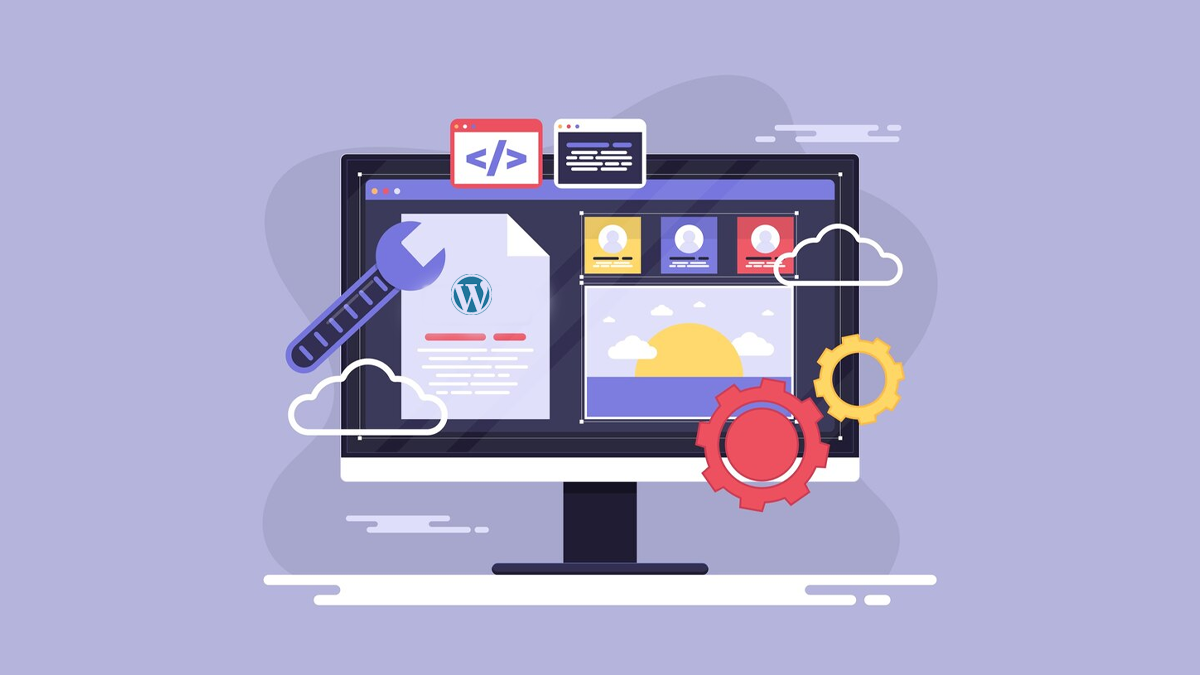
When you create a WordPress website, picking the right theme isn’t just about looks, it’s an important choice that can affect how easily people can find you on search engines. An SEO-friendly WordPress theme is one that has clean code, loads quickly, works well on mobile devices, and has a good structure.
These features help it rank better on Google and other search engines. In today’s digital world, just having a nice website isn’t enough. If it’s not set up for search engines, people might not be able to find it.
If you’re a blogger, run a small business, or have an online store, choosing a theme that helps with your SEO is a good idea. This post will look at what makes a theme good for SEO, the important features to consider, and the best themes you can find. By the end, you will know how to pick a theme that looks nice and works well too.
How to Choose an SEO-Friendly WordPress Theme?
An SEO-friendly theme has several important features to consider, and many themes do not include these. If you are thinking about adding a new theme, please consider the upcoming points. Remember, your new theme should be easy to use, customizable, compatible, able to connect with other tools, and follow the rules.
Define What You Need
No matter if you want a free theme, a paid one, or if you plan to hire an outside source to create a custom theme for you, the first thing to do is figure out what you need. Write down what the theme should accomplish now and in the future.
You may not need an online shopping option right now, but what about a year from now. What should your website look like? Which pages do you need? What kind of content will you want to share? Once you understand what you need, you’ll have a better chance of finding the perfect theme for your site.
Look for a Reliable Developer or Reseller
Should you make your own theme or use a free one? People are still debating if a paid theme is better than a free theme. Both sides have their good points. There are many bad free themes, but there are also a lot of bad paid themes.
You should look for a reseller or developer that you can trust. Check for social proof: How many reviews does the theme have? Does it have an active message board? When was it last updated?
Even though themes on WordPress.org are checked for safety at first, it’s still very important to do your own careful checks. Just because they got checked doesn’t mean they’re great.
Theme resellers provide a lot of high-quality themes that come in different levels of great design. Just because you pay for them doesn’t mean they are better than free themes. Also, because you only get the files after you pay for a theme, you can’t see the quality before buying. Even with social proof, it’s still a risk.
Check for Flexibility
A fixed theme won’t help you if you want to change how your page looks in a few months. Choose a theme that can change its look and how it works. Make sure it works with blocks so you can use the block editor to create the design.
Don’t pick a design that needs big pictures when all you want is a nice spot to share your poetry. See what happens to a theme when you turn off all the big images. Does it still work? Can you change the colors, fonts, and other visuals?
Many themes, like Total or GeneratePress, have demo examples that show you the different styles they can use. Your WordPress theme for SEO should have space for widgets, support featured images, and allow for multiple languages.
Many themes come with a page builder, which helps you create your own unique layout. Be careful with this because it might create poor code that can hurt your SEO. Make sure your theme works well with site builders like Elementor.
Also, new themes like the Twenty Twenty-Five default theme use block patterns, which help you customize your design. Make sure your WordPress theme works well with other plugins to improve your site’s features and search engine ranking.
Themes usually have their own features, but these can sometimes conflict with important plugins. Make sure your selected theme is easy to adapt and is well-built so it works well with popular tools like Yoast SEO, WooCommerce, and Elementor.
This compatibility allows you to improve your site without having problems or slowing it down. Checking for plugin support helps you add features easily while keeping your site safe and running well.
Check Page and Post Template Support
Another way to stay flexible is for an SEO-friendly WordPress theme to provide different templates for posts and pages. This means you can begin with a simple design that has a main area for content and a sidebar on the left.
You can also easily switch to a different layout, like one that uses the whole width of the page or other styles. If a theme has just two options, it could cause problems later on. Choose a theme that has plenty of useful templates.
Look for Parent/Child Theme Function
Parent and child themes work really well together. If you use popular theme frameworks like Genesis, you know they are much more powerful than regular themes. A child theme gets its features from a main theme.
If you make changes to your child theme, the main theme won’t notice them. You won’t damage the main theme if you make a mistake. The same is true for updates. When you update your main theme, which happens a lot, it won’t erase any changes you’ve made to your child theme since the child theme doesn’t have the same features.
Whether you need a theme framework depends on what you want. Most WordPress projects can gain from using a theme framework. However, if you only need a little bit of its features and you know what type of theme you want, it might be more than you need.
Beware of Theme Bloat
Many themes are too large, making the loading time longer. If the theme creator added too many features, you might end up with a product that has everything but is very hard to use. Look for a theme that has everything you need instead of just having too much. Your theme should be simple and effective.
Focus on Safety
When picking a WordPress theme, remember that security is very important. It’s important to choose a theme that is kept up-to-date and regularly fixed to protect against security issues.
Make sure the theme is safe by looking at user reviews and seeing when it was last updated. Make sure it follows safe coding rules and includes two-factor authentication and other security features.
Using themes from the official WordPress website or reliable stores gives you extra peace of mind. Always check the theme with security tools like Sucuri to find any problems before you start using it.
Check Mobile-Readiness and Site Speed
You must take steps to make your site work well on mobile devices right from the beginning. Its design should load quickly and offer a great page experience, shown by good Core Web Vitals scores. Choosing a simple and fast theme can help you do this.
Start by checking how well the theme works. Use tools like Google Lighthouse to check if it works on different devices. Also, put the demo site link of the theme into Google PageSpeed Insights to find any loading problems that could slow things down.
Keep in mind that these tests are just a beginning and they show only some of the information. To get a full evaluation, check how fast the theme works on your own server, because the server’s performance can greatly affect loading times.
Is the Theme Good for SEO?
Many WordPress themes say they are good for SEO, but you should check them carefully. A good example is Twenty Twenty-Five, which has a simple design and works very well. Check if the theme’s code is well-organized or a big jumble. Is it updated often? Will it still be supported later?
How many JavaScript libraries does the theme use? Does it work with Schema.org? If you’re looking at a free theme, check for hidden links to the developer’s site, as these can hurt your SEO. Generally, remember Google’s Search Essentials guidelines when looking for SEO-friendly WordPress themes.
Is the Theme’s Code Correct?
Some theme creators focus more on design than coding, so they often make changes until it looks right without making sure their code is proper HTML. If it’s not, then current or future web browsers might have problems showing the content properly. You can see if the code is correct by using the W3C validator.
Do Multiple Tests
Once you’ve picked your favorite new SEO-friendly WordPress theme, it’s time to get started. Begin by setting up a testing environment to thoroughly check your new theme. Try every kind of test you can think of.
This could be a security check using the Sucuri plugin or a theme check using the Theme Check plugin. Use fake information from wptest.io to load your site and check if everything is working and displayed correctly. Check the speed and mobile-friendliness of the pages to find any issues. Fix the problems, or choose a new theme.
Extra Checks
There are many things you can look at before you set up your new theme. Begin with these three checks, if you can:
Hooks
WordPress plugins use “hooks” to do their jobs. These hooks let you add things like extra information, tracking codes, and more. You will run into many problems with plugins if the theme’s creator forgets to include these hooks. Here’s how to look for them:
- A little PHP code that looks like this wp_head(); or this do_action(‘wp_head’); should be included in header.php. This code is typically placed just before an HTML block that looks like this: </head>.
- Another tiny PHP code, such as wp_footer(); or do_action(‘wp_footer’);, should be included in footer.php.
- A line of code such as <?php do_action(‘comment_form’, $post->ID); ?> should appear in comments.php and/or comments-popup.php, right before the </form> HTML element.
Template Files
A good idea when changing themes is to look at the theme files and compare them. If your current theme has a file called author.php that shows author profiles, and your new theme doesn’t have that file, you might be disappointed when you switch to the new theme. Here are the files you need to look at in your old and new themes:
home.php: the template for the homepage
single.php: the template for individual posts
page.php: the layout for pages
category.php: the template for category pages
author.php: This is a template used to show all posts written by a specific author
date.php: template for showing the date. It’s used when someone wants to see all the posts from a specific month on your blog
archive.php: this template is used when category.php, author.php, date.php files are missing
search.php: This is the page that shows results when someone looks for something on your blog. It’s an important template to check if you want to make sure your blog is easy to use and that visitors can find the posts they are looking for
404.php: this page is shown when WordPress can’t find a specific post or page. It’s a really important template file to have
How Does Your Theme Manage Titles?
It’s important to update how your theme handles page titles. Instead of changing the tag in the header.php file, try using add_theme_support(‘title-tag’); in the functions.php file of your theme. This setup lets WordPress and plugins create titles in a good way, making sure they are easy to use and good for search engines.
// Add to your theme’s functions.php
add_action(‘after_setup_theme’, function() {
add_theme_support(‘title-tag’);
});
Also Read: Effect of URL Parameters on SEO and Best Practices to Use Them
SEO Essentials to Remember
Install an SEO Plugin
An SEO plugin is important for improving your WordPress website so that search engines can find it, and you don’t have to write any code. Plugins like Yoast SEO and Rank Math make it easy to manage the titles, descriptions, and keywords for each page or post.
They also assist you in making sitemaps, handling main URLs, and improving how easy your content is to read and how often you use keywords. Using these, you can get instant suggestions while you write, making sure your content is good for readers and crawlers.
Your theme takes care of how your site looks and is set up, but an SEO plugin helps make sure your content is ready for search engines to find and rank it well. No matter which plugin you pick, make sure it gets updated often and is set up properly to meet your site’s needs.
Add a Caching Plugin
Caching plugins are important for making your website load faster, which helps both your search rankings and how users feel when visiting your site. When someone goes to your website, WordPress creates the content dynamically, which can make it slower.
A caching plugin saves a quick version of your pages so they open faster for future visitors. Plugins like WP Rocket (paid) and W3 Total Cache (free) can make your website faster by lowering the strain on the server, reducing file sizes, and enhancing Core Web Vitals, which are important measurements that Google uses to rank sites.
Faster websites do better in search results, keep visitors longer, and make people leave less often. All of these things help with SEO, even if they’re not direct measures. Many caching plugins also provide tools for things like loading images only when needed, improving database performance, and working with CDNs.
Optimize Your Images
Images usually take up a lot of space on a webpage, and if they aren’t optimized, they can make your site load at a slower pace. This impacts how users feel about the website and its ranking because Google now considers how fast a page loads when deciding its rank.
Tools like ShortPixel, Smush, and Imagify automatically make images smaller in size without losing quality. They also let you change images into newer formats like WebP, which load faster and are liked by search engines.
To make images better for crawlers, you should name them properly (like using seo-friendly-theme.jpg instead of IMG_0021.jpg) and add alt tags that explain what the image is about.
Alt tags make it easier for visually impaired users to understand images, and they also help bots know what your images are about. Using a good plugin to automatically optimize images keeps your website fast, attractive, and easy to find on search engines.
Create Proper Permalinks
Permalinks are the web addresses for the specific pages and posts on your website. A clear and keyword-rich URL is better for visitors and liked more by search engines.
You can change your link settings in WordPress by going to Settings and then Permalinks. Instead of using links like site.com/p=123, you should use clear links that are easier to read, like site.com/seo-friendly-wordpress-theme.
This helps both people and search engines quickly see what the page is about. Also, try not to use common words like “a,” “and,” or “the,” and keep links short and related to the topic. Once you set your permalink structure, try not to change it unless you really have to.
Changing it can cause broken links or need special redirects. A good URL makes your website look more professional, helps more people click on it, and helps crawlers find your site better. Always test new permalinks with SEO tools to prevent problems.
Submit a Sitemap to Google Search Console
A sitemap shows all the pages on your website and helps crawlers find and organize your content better. They can discover your content without a sitemap, but having one helps them do it quicker and more easily, especially for big or new websites.
SEO tools like Yoast and Rank Math create XML sitemaps for you automatically. After you create your sitemap, send it to Google Search Console. Now you can see how well your website is doing in results pages and if it’s being indexed properly.
This helps Google decide which pages to look at first and tells you about any problems with your website, like broken links or issues with how Google can see your pages.
You only need to submit a sitemap once, but it’s a good idea to check the Search Console often to see how things are going and to fix any issues. This little action can make a big difference in how many people see your site and visit it later.
Wrapping Up
Picking a WordPress theme that’s good for SEO is an important first step to creating a successful website that appears high in search results. There are many themes to choose from, but not all of them are made to work really well or to help with search engines.
A good theme can make your website faster, easier to use, and better for mobile devices, which are all important for getting higher rankings. It also helps crawlers find and understand what your content is about.
Choosing the right theme for your website, along with good SEO techniques and useful plugins, creates a strong mix that increases your visibility, brings in more visitors, and helps you reach your website goals. Keep in mind that your theme is like the structure of your site.
Starting with a setup that is good for bots saves you time and helps avoid problems later on. Spend your money carefully, check everything well, and always think about SEO along with how your site looks.
FAQs
Can I still make my SEO better if I’m using a theme that isn’t optimized?
Yes, you can still make your SEO better, but it will be a lot harder and usually need more work or special changes. You might have to fix the code by removing extra scripts, making it work better on different devices, or adjusting performance settings. Often, you will need to use a lot of plugins to make up for what the theme doesn’t provide. Choosing a theme that is good for SEO from the start saves you time, and avoids problems later.
Are free WordPress themes good for SEO?
Some free WordPress themes are good for SEO, especially the ones you can find on the official WordPress.org repository. Themes like Astra, Neve, and GeneratePress have free versions that are well-made and perform well. But not all free themes are the same. Many might not have important SEO tools, be good for mobile use, or offer help. Always look at reviews, read the instructions, and check the update history before picking a free theme. Check how fast and responsive the theme is to make sure it meets SEO guidelines.
Do SEO-friendly themes work with page builders like Gutenberg or Elementor?
Yes, most new SEO-friendly themes work well with page builders like Elementor, Beaver Builder, Brizy, and the built-in Gutenberg editor. Actually, themes like Astra and Kadence are designed to work well with these tools. Just make sure that the page builder doesn’t add extra code to your site, as this could undo the good work of a well-optimized theme. Always use simple page builders and keep your layouts easy. This helps your pages load faster and makes it easier for crawlers to understand them.
Do I still need an SEO plugin if I have a website theme that is good for SEO?
Yes, an SEO plugin is still important. An SEO-friendly theme is a good start, but using an SEO plugin like Yoast SEO or Rank Math helps you manage your on-page SEO better. These tools let you change the main titles and descriptions, create XML sitemaps, handle canonical tags, and check content for how easy it is to read and if it uses keywords well. Your theme can help with how fast your site loads and its layout, but plugins take care of the important things that affect how well your site shows up in results pages.
Can changing to a theme that works well with SEO help my site rank better?
Changing to a better theme for SEO can help your website rank higher, especially if your current theme is not well-designed for that. A better theme can make your website load faster, work better on mobile devices, and make your site’s code neater. All of these things can help improve your search rankings. But you should change themes carefully. Always save a copy of your site, try changes in a practice area first, and make sure that no content, design, or important SEO information is missing after the changes.